The Touch module provides access to the touch controller, and executes a callback if a certain region is touched
| typedef void(* TOUCH_CALLBACK) (void *touchArea, TOUCH_ACTION triggeredAction) |
Prototype for Event Listeners (called for every occurring, hooked action)
- Note
- You should NOT execute long running things in this callback nor should you update the gui. But you can call gui_screen_navigate() for instance.
- Parameters
-
| touchArea | The pointer to the TOUCH_AREA_STRUCT in which the event occurred |
| triggeredAction | The Action which occurred |
Enum to describe the hooked actions for which you want to receive events for. You can OR-combine them.
- See also
- touch_register_area
| Enumerator |
|---|
| NONE |
Do not receive any events.
|
| PEN_DOWN |
Receive an event when the pen goes down inside the region.
|
| PEN_UP |
Receive an event when the pen goes up inside the region.
|
| PEN_ENTER |
Receive an event when the pen enters the region (pen was down before)
|
| PEN_LEAVE |
Receive an event when the pen leaves the region (pen was inside region before)
|
| PEN_MOVE |
Receive an event when the pen moves inside the region (pen is down)
|
Enum to describe the current Touch State.
- See also
- touch_add_raw_event
| Enumerator |
|---|
| TOUCH_UP |
The display is currently not touched.
|
| TOUCH_DOWN |
The display is currently touched at some point.
|
| bool touch_add_raw_event |
( |
uint16_t |
x, |
|
|
uint16_t |
y, |
|
|
TOUCH_STATE |
state |
|
) |
| |
Processes a native touch event. Call this function when the pen goes down (TOUCH_DOWN), when it moves (TOUCH_DOWN) and also when it goes up again (TOUCH_UP)! It's safe to call this function from an (SPI)-Interrupt.
- Parameters
-
| x | The x-Coordinate of the touch event |
| y | The y-Coordinate of the touch event |
| state | Whether the pen is up or down |
- Returns
- True on success
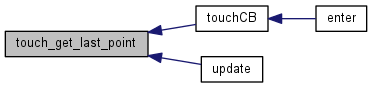
Gets the last touched point
- Returns
- The Coordinates of the last touched points
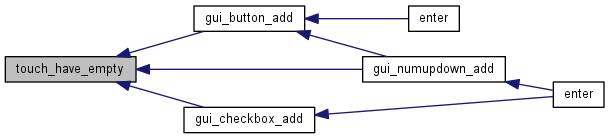
| bool touch_have_empty |
( |
unsigned char |
num | ) |
|
Checks whether or not we have memory to manage and track additional num TOUCH_AREA_STRUCTs
- Parameters
-
| num | The number of touch areas you would like to allocate |
- Returns
- True if there's enough memory to allocate num TOUCH_AREAs
Initializes the Touch Controller. Call this method before using any touch_* functions
- Returns
- true on success
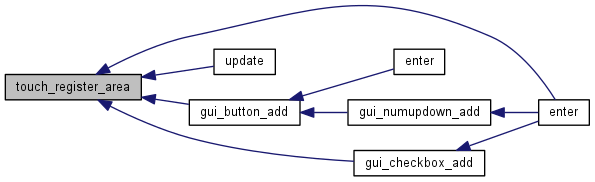
Registers a new touch Area. You will receive events for this area from now on.
- Parameters
-
- Returns
- True if everything was successful and the corresponding Touch Area will be monitored from now on
| void touch_set_calibration_values |
( |
int |
xs, |
|
|
int |
dx, |
|
|
int |
ys, |
|
|
int |
dy |
|
) |
| |
Set's the new calibration values
- Parameters
-
| xs | x offset (to calibration point 1) |
| dx | x difference (between calibration point 1 and 2) |
| ys | y offset (to calibration point 1) |
| dy | y difference (between calibration point 1 and 2) |
| void touch_set_value_convert_mode |
( |
bool |
use_calibration | ) |
|
Set's the new value convert mode. Per default use_calibration is false.
- Parameters
-
| use_calibration | whether or not the current platform needs display calibration |
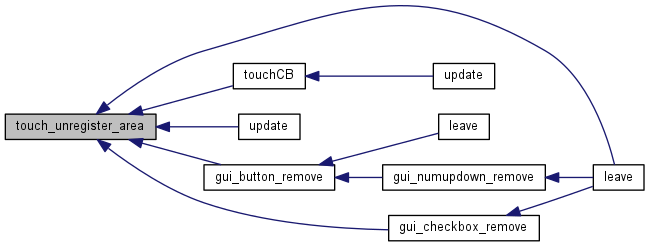
Unregisters a touch area. You will no longer receive events for this area
- Parameters
-




 1.8.9.1

