|
discoverpixy
|
|
discoverpixy
|
|
Data Structures | |
| struct | BUTTON_STRUCT |
Macros | |
| #define | AUTO 0 |
| Use this value instead of x2, y2 in the BUTTON_STRUCT to autocalculate the button width/height. More... | |
Typedefs | |
| typedef void(* | BUTTON_CALLBACK) (void *button) |
Functions | |
| bool | gui_button_add (BUTTON_STRUCT *button) |
| void | gui_button_remove (BUTTON_STRUCT *button) |
| void | gui_button_redraw (BUTTON_STRUCT *button) |
The Button Gui-Element
| #define AUTO 0 |
Use this value instead of x2, y2 in the BUTTON_STRUCT to autocalculate the button width/height.
| typedef void(* BUTTON_CALLBACK) (void *button) |
Prototype for Event Listeners (called when the button is pressed)
| button | The pointer to the BUTTON_STRUCT where to corresponding Button was pressed |
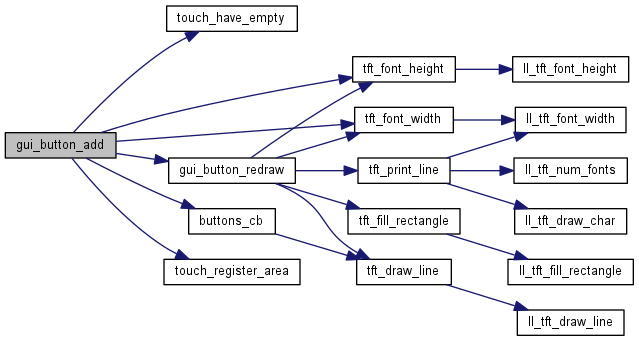
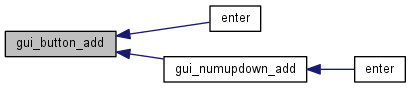
| bool gui_button_add | ( | BUTTON_STRUCT * | button | ) |
Adds a button. Your Callback will be called from now on, if the button was pressed
| button | A Pointer to the preinitialized BUTTON_STRUCT |
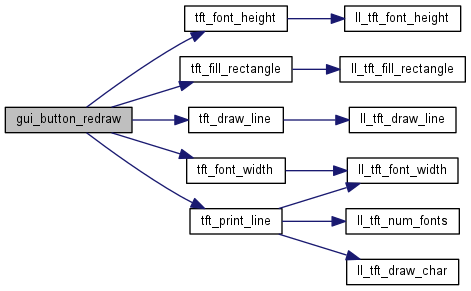
| void gui_button_redraw | ( | BUTTON_STRUCT * | button | ) |
Redraws the button. Call this method if you have to redraw the entire screen or if you want to draw a button on top of an image.
| button | A Pointer to the BUTTON_STRUCT |

| void gui_button_remove | ( | BUTTON_STRUCT * | button | ) |
Removes the button. You will no longer receive events for this button. This function will not overdraw the region where the button was located.
| button | A Pointer to the BUTTON_STRUCT |


 1.8.9.1

